Find your next move

25 guides found

Getting startedROB RUN beginner guide: make your first run countStart ROB RUN with a clear plan for Looty Bay. Learn how masks, police, money laundering, base rental and weekly wipes work, using official developer sources.MoneyROB RUN money guide: earn it, sell it, keep itLearn how to make money in ROB RUN, sell loot, open a bank account and use the Laundering Desk. Compare earning routes and avoid losing unprotected cash.Police & survivalROB RUN police guide: join up or survive a stopJoin the Police in ROB RUN, understand badge progression and compare death, surrender and bribes. Learn the launch changes that affect fresh-server gear.BasesROB RUN base guide: get a plot and protect itRent your first ROB RUN base, check document requirements, compare property tiers and understand fuses, Security Systems, decoders and the limits of defense.WipesROB RUN wipes: know what survives the Federal RaidUnderstand ROB RUN's Federal Raid, the documented seven-day cycle, what resets and what carries over. Separate fresh-server openings from your server's wipe.Heists & NotorietyROB RUN heists: plan the job and the way outPlan ROB RUN heists, understand masks and Criminal status, and learn how Notoriety changes a run. Follow the loot-to-sale loop and prepare your escape route.Weapons & Black MarketROB RUN weapons: find a gun and know what you riskFind weapons in ROB RUN through city loot, Lenny and the base laptop. Understand launch-day pistol changes, Black Market access and Police-issued equipment.Cars & upgradesROB RUN cars: get moving, then build your own rideGet a free ROB RUN rental, learn the property requirement for owning a car, store its key and fit vehicle modules. Understand cargo limits and trunk theft.HelicoptersROB RUN helicopters: check your base before buyingLearn the ROB RUN helicopter purchase condition, the alternative loot route and the role of a helipad. Separate central-district residence from clan control.Cargo & shipmentsROB RUN cargo: plan the haul before taking the loadUnderstand ROB RUN cargo and shipments, prepare transport and storage, and check launch changes to dismantling, selling and Buletti shipment eligibility.Clans & territoryROB RUN clans: understand who owns what and who gets paidUnderstand ROB RUN clans, settlement taxes, district control and the Shadow Governor. Separate renting a plot from ownership and check current wipe limits.Errors & PC requirementsROB RUN troubleshooting: start with the error you actually haveTroubleshoot ROB RUN startup, network, authentication and Easy Anti-Cheat errors. Check official PC requirements and prepare useful details for support.Item unlocksROB RUN item unlocks: check the Shipments requirementsUnlock new goods in ROB RUN through the Shipments tab. Check settlement-level and jail-time requirements, then separate unlock eligibility from buying an item.Friends & server switchingROB RUN change servers: join friends through PrisonFix ROB RUN party invites when a friend is on another server. Follow the official Prison server-switch route and check the confirmation before surrendering.Mouse movement FPS dropsROB RUN FPS drops when moving the mouse: what to checkFix ROB RUN stutter that appears when moving your mouse. Check polling rate first, compare before and after, then review drivers, overlays and official advice.Missing purchasesROB RUN purchase not received: check mail and the receiptMissing a ROB RUN purchase? Restart, check in-game mail, find the Steam receipt and prepare your UID and transaction details for the official support team.Steam & EOS authenticationROB RUN authentication errors: Steam, EOS and blocked filesResolve ROB RUN E-0401, E-0403, E-0404 and E-0405 by matching the code to Steam sign-in, Epic Online Services or blocked files, with official support steps.Easy Anti-Cheat errorsROB RUN Easy Anti-Cheat errors: use the supported launch routeTroubleshoot ROB RUN E-0501 and E-0502 with the official Steam launch, file verification and restart steps, then prepare an EAC screenshot and UID for support.Connection & download errorsROB RUN connection errors: downloads, filtering or lost sessionsFix ROB RUN connection and startup download errors by separating E-0101, E-0110, E-0102 and E-0201, then checking connectivity, guest networks and filtering.Workbenches & productionROB RUN workbenches: build the facilities your items needSet up ROB RUN workbenches, farms, laboratories and vehicle facilities. Learn item-based building, module upgrades and how to match stored goods to a base task.Map & district selectionROB RUN districts: choose a home territory with a purposeChoose a ROB RUN district by checking plot ownership, item access, nearby settlement bonuses and desert selling hubs. Understand travel risk before renting.B-Coins & cosmeticsROB RUN B-Coins: what paid cosmetics can and cannot doLearn whether ROB RUN is free to play or pay to win. Check the official B-Coins cosmetic-only rules, separate cash progression and find help for missing items.Platforms & online accessROB RUN platforms: check the PC build and online requirementsCheck ROB RUN Windows support, online play, official servers and listed languages. Separate Steam Cloud features from wipe protection and handheld assumptions.Discord & official supportROB RUN Discord and support: use the verified channelsFind the official ROB RUN Discord and support channels. Copy your UID, prepare screenshots and receipts, and distinguish Discord access from game party issues.ROB RUN Maintenance: Server Notices & Fresh-Server TimesROB RUN maintenance: verify notices and server schedulesCheck ROB RUN maintenance notices, EU and East US fresh-server times, and the difference between an outage, a wipe and an individual connection error.

Technical help

ROB RUN maintenance: verify notices and server schedules

Check ROB RUN maintenance notices, EU and East US fresh-server times, and the difference between an outage, a wipe and an individual connection error.

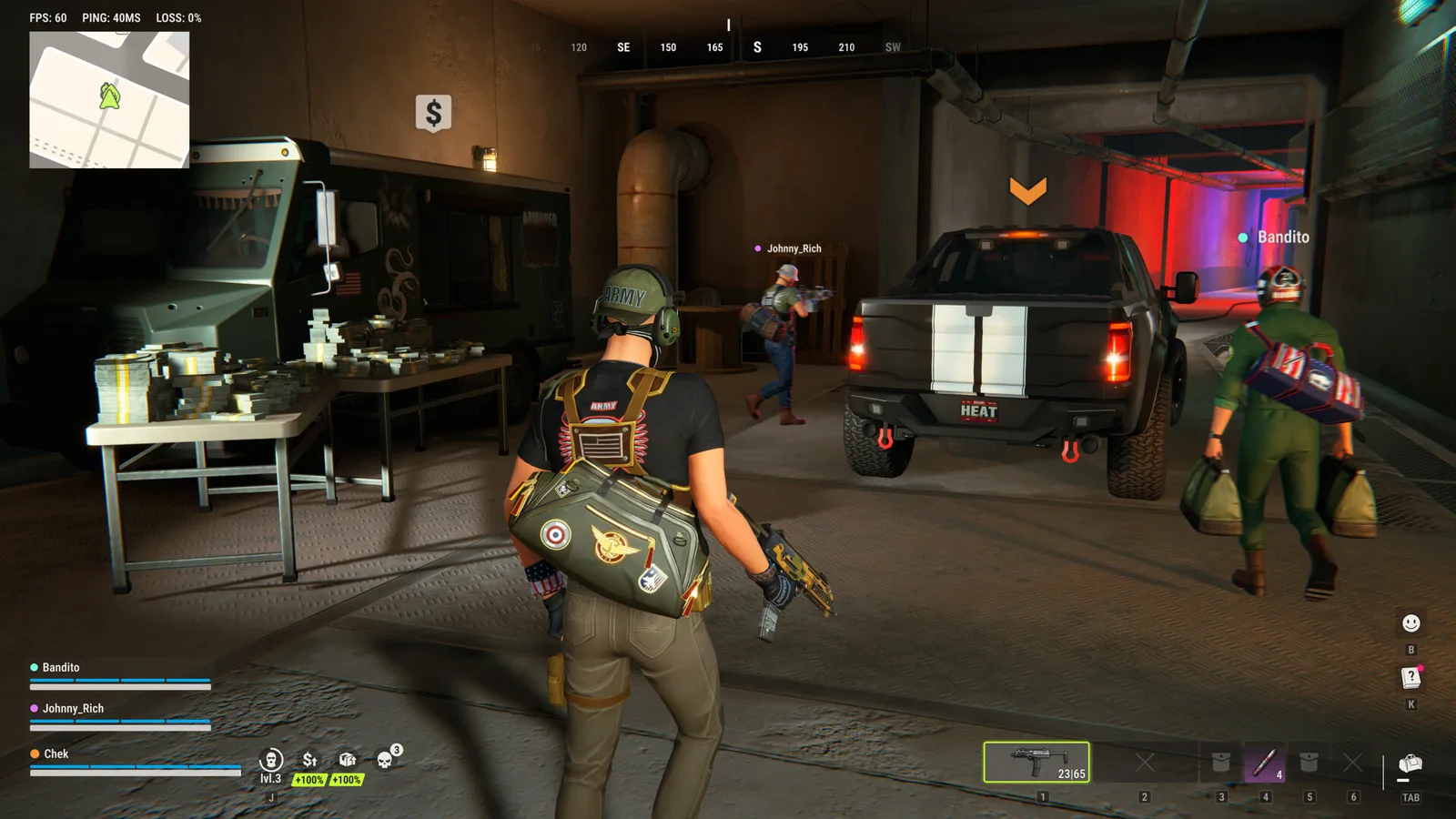
Official ROB RUN gameplay screenshot from Kefir

Official ROB RUN screenshot. © Kefir.

To check ROB RUN maintenance, look for a current notice in the developer’s Steam news or publisher-linked official communities, then match its date and affected region to your session. A connection error or a scheduled fresh-server opening does not by itself confirm an outage. This page is a verification guide, not a live server monitor.

Check the announcement before reinstalling

Start with ROB RUN’s developer news on Steam and the channels in Kefir’s official community list. Our suggested check is the notice’s publication time, named region or server, affected activity and any later update. An old playtest closure is not a current Early Access maintenance announcement.

If the operator confirms a relevant interruption, follow that notice for the next retry. If no matching notice is available, the service state remains unconfirmed. A player reporting the same symptom is useful context, but does not establish the operator’s cause or reopening time. This site cannot test every game server from a successful page load.

Fresh servers are different from maintenance

Kefir’s First Changes & Server Schedule announcement lists EU and East US, with a plan for at least one fresh server daily in each region:

RegionPublished fresh-server opening
EU5 PM UTC
East US8 PM ET

The same announcement says additional servers may open automatically as needed and the schedule may be adjusted. These are planned fresh-server openings, not a maintenance duration, the return time of your current server, or a guarantee that every world resets at that hour. Keep the published time-zone labels; do not read ET as UTC or substitute a fixed offset year-round.

Source: First Changes & Server Schedule.

Use the symptom to choose the next check

If there is no matching maintenance notice, record the exact message before changing settings. The developer’s error reference distinguishes these branches:

What you seeAppropriate documented branch
E-0101 / E-0110 before joiningCheck internet access and whether ordinary websites load
E-0102 during startup-data downloadCheck guest-network sign-in, proxy and HTTPS filtering conditions
E-0201 after playingCheck the connection and restart the game
A friend is on another serverFollow the Prison party/server-switch instructions

For the network branches use connection and download troubleshooting. For the invitation warning use changing servers and joining friends. Neither workflow proves that the whole service is down. If testing a security-software setting, restore it after the temporary comparison.

Source: official error-code meanings.

Keep maintenance, a wipe and account loss separate

A Federal Raid is the documented progression reset; a maintenance notice concerns service availability. Do not infer a wipe or the fate of possessions from a disconnect alone. Check the wipe and unexpected-progress-loss guide if items or progress appear missing after reconnecting.

Likewise, a fresh server in another region is not proof that your existing world is open again. If changing worlds to meet a friend, read the current confirmation instead of treating Prison surrender as a guaranteed loss-free workaround for an unavailable server.

Send a useful report when the cause is still unclear

Record the server and region exactly as shown, the time and time zone, the full error, and whether it happened before joining or during play. Include what you checked and a screenshot of any relevant official notice. The official support and UID guide explains where to report it.

Our recommendation is to keep these observations together rather than repeatedly reinstalling while waiting for an unconfirmed reopening. No live operational badge, countdown, compensation, guaranteed recovery or account-specific outage diagnosis is supplied here.

Ready for your next run?

Keep the official help center handy when a patch changes the rules.

Open official support ↗